
Amenity Access Info:
Please Read all instructions carefully to avoid delays

# ⚠️ IMPORTANT NOTICE
## 🔑 Bluetooth Access Via Your Phone Is Now Required
🚫 Physical fobs no longer work for the:
🏊 Community Pool
📬 Mailbox Kiosk
🐶 Dog Park
Residents must now use their phone with Bluetooth access through the PDK system.
# ⏳ Please Allow Time for Processing
Amenity access registrations are reviewed and processed by volunteers.
✅ Most registrations are currently being processed within 1 to 2 business days
Please plan accordingly.
🏊 If you plan to use the pool or amenities, make sure your Bluetooth access is already working before making plans to visit the pool area.
📬 Mail kiosk access after hours will also require your Bluetooth access to be active.
# 🚨 MOST COMMON ISSUES
## 📩 CHECK YOUR SPAM OR JUNK FOLDER
Many residents are missing the activation email because it is being filtered into spam or junk folders.
⚠️ Yahoo email accounts are especially known for aggressive spam filtering.
Please search your email for:
## Sender:
no-reply@accounts.pdk.io
## Company:
Prodata Key Cloud Systems
## Subject:
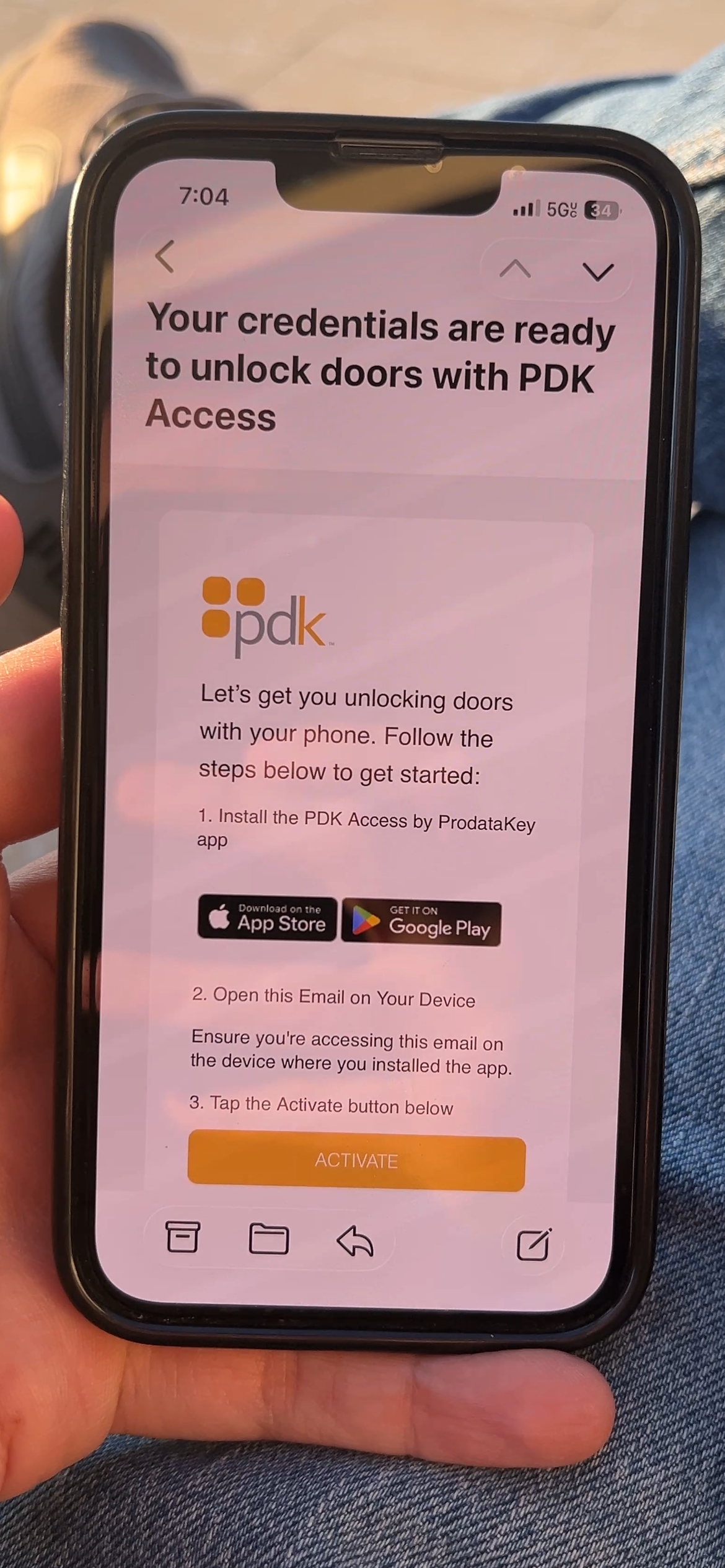
Your credentials are ready to unlock doors with PDK access
📥 We strongly recommend adding:
## @accounts.pdk.io
as a trusted or safe sender in your email settings in case your credentials ever need to be reset in the future.
# ⚠️ COMMON REGISTRATION ERRORS
❌ Multiple people using the same email
❌ Wrong email entered
❌ Name does not match submitted ID
❌ Multiple emails submitted for the same person
❌ Submitting incomplete documentation
These issues will delay processing.
Each person must:
✔ Submit separately
✔ Use their own email
✔ Use their own ID
✔ Match the registration information exactly
# 🔑 Bluetooth Access System
Bluetooth access is now required for all Woodland Park amenities:
🏊 Community Pool
📬 Mailbox Kiosk
🐶 Dog Park
This form only applies to Woodland Park single family homes residents.
⚠️ Woodland Park Townhomes residents must contact their own HOA, as they are a separate association with a separate pool and access system.
# 📱 Access Requirements
Each person must submit their own registration
Each person must use a unique email address
Each submission must be one person per ID
The submitted name and email must match the ID submitted
A valid ID showing your Woodland Park address is required
# 👶 Minors
Minors without ID will not receive independent access and must be accompanied by an adult
Minors with ID must register using their own name and email
# 🏡 Special Situations
Second homes, out of state IDs, caregivers, or nannies
Please submit their ID and provide additional proof tying them to your Woodland Park residence
You may reply to your confirmation email with supporting documentation if needed
Each home may receive up to two access tokens by default
Requests for additional permanent adult residents may be reviewed by the HOA Board
# 📬 Mailbox Kiosk Access Hours
📪 Mail access remains available 24 hours a day
🚪 Mailbox kiosk door unlocked:
🕖 7:00 AM to 8:00 PM
📱 After 8:00 PM:
Bluetooth access through your phone is required to open the mailbox kiosk door
# 🚨 Overnight Alarm Hours
From 11:30 PM until 6:00 AM:
🚨 Noise alarms and warning alerts will be active
💡 Lights may activate automatically
📹 Activity may trigger alerts to the Board
These protections were added because most mail theft and vandalism historically occur during overnight hours.
Residents are strongly encouraged to check mail during normal daytime or evening hours whenever possible.
# 🕒 Amenity Hours
🏊 Pool
Sunrise to sundown
🐶 Dog Park
6:00 AM to 11:30 PM
# 📲 Activation Instructions
1️⃣ Open the email and click Accept Invitation
2️⃣ Download the PDK app on your phone
3️⃣ Return to the email and click Accept Invitation again
4️⃣ Log in using your email address
⚠️ Bluetooth and Location permissions must be enabled for the system to work properly.
The app works on:
📱 iPhone
📱 Android
# 📧 Questions or Support
Miguel Guinard
Treasurer
treasurer@woodlandpar
Amenity Access Registration
Thank you for your registration/update.
We will get back to you as soon as possible.
Oops, there was an error sending your application. Please try again later.